


El Paso County How To:
Barcode Scanner – Setup, Pairing, and Use
Elapsed time: 15 minutes
Table of Contents
- Wasp Technologies WWS650
- Motorola Zebra CS3070
1 – Wasp Barcode Technologies Model WWS650
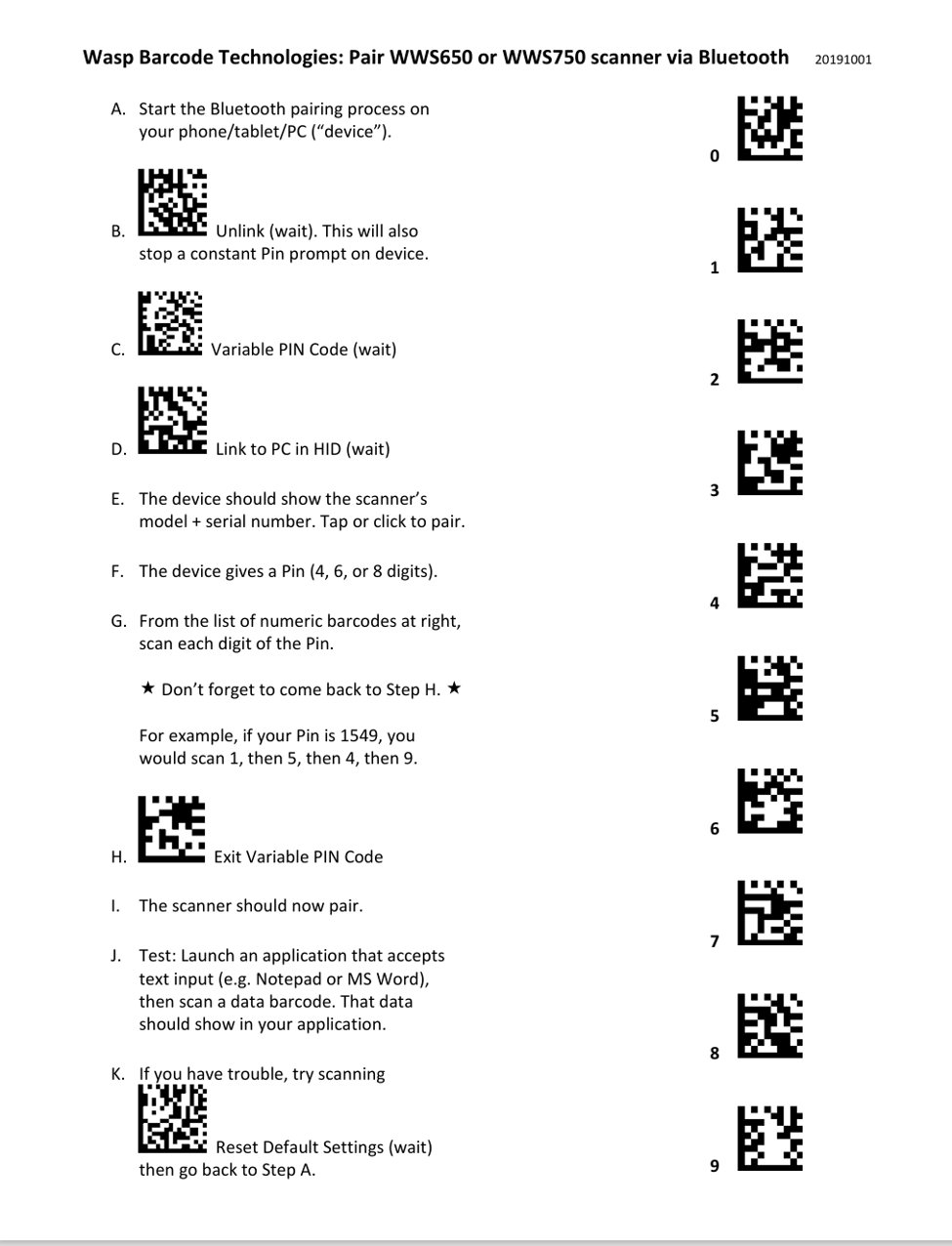
Quick Links:WWS650 & WWS750 Bluetooth Pairing Sheet
WWS650 Product Reference Guide
WWS650 Quick Reference Guide
2 – Motorola and Zebra CS3070 Barcode Scanner
Quick Links:
CS3000 Series Reference Guide
CS3000 Series Scanner Product Reference Guide (en)
CS3000 Series Quick Reference Guide
CS3000 Series Quick Reference Guide (en)
Bluetooth Pairing CS3070
Bluetooth Connection
Pairing
For RF-enabled scanners, to pair to a Bluetooth-enabled host:
Note:
If the host does not support Bluetooth communication,
a third-party Bluetooth adapter is required.
1. Press the scan button (+) to wake the scanner.
2. Press and hold the Bluetooth button (round button) for five seconds.
The scanner beeps and the Bluetooth button starts blinking quickly
to indicate that the scanner is discoverable by the host.
3. On the host PC, launch the third party Bluetooth pairing application
and place the application into discover Bluetooth device mode.
4. Select the CS3070 from the discovered device list.
The Bluetooth application may prompt you to scan a passkey it generated,
or for you to create and then scan a pin.
5. Scan Numeric Bar Codes below corresponding to the passkey,
then scan Enter.
The Bluetooth button blinks slowly to indicate that the scanner paired with the host.
Note:
Bluetooth pairing suspends temporarily while charging via a USB cable.
Disconnecting the cable re-establishes the Bluetooth pairing.
Unpairing
To unpair the scanner and host,
press the Bluetooth button.
Upon unpairing, the Bluetooth button stops blinking.
Note:
To enter batch scanning mode,
the scanner cannot be paired to a Bluetooth host
(applies to CS3070 model only).Numeric Bar Codes for PIN Entry
Use the following bar codes for pin entry for Bluetooth connection
More extensive programming options are available at the above links for both model scanners.
- Motorola Zebra CS3070

