


El Paso County How To:
Opening and Checking the Status of an ITD
Ticket in Happy Fox
Contents:
-
Launching the Happy Fox Application
-
Ticket listing and checking on a ticket.
-
Open a ticket
HappyFox is the ticketing application ITD uses to track and manage computer related problems and issues from the time they arise are reported and resolved.
Below are the steps to report and open a ticket using the internet at Office.com.
You can also send on email to the Helpdesk at [email protected].
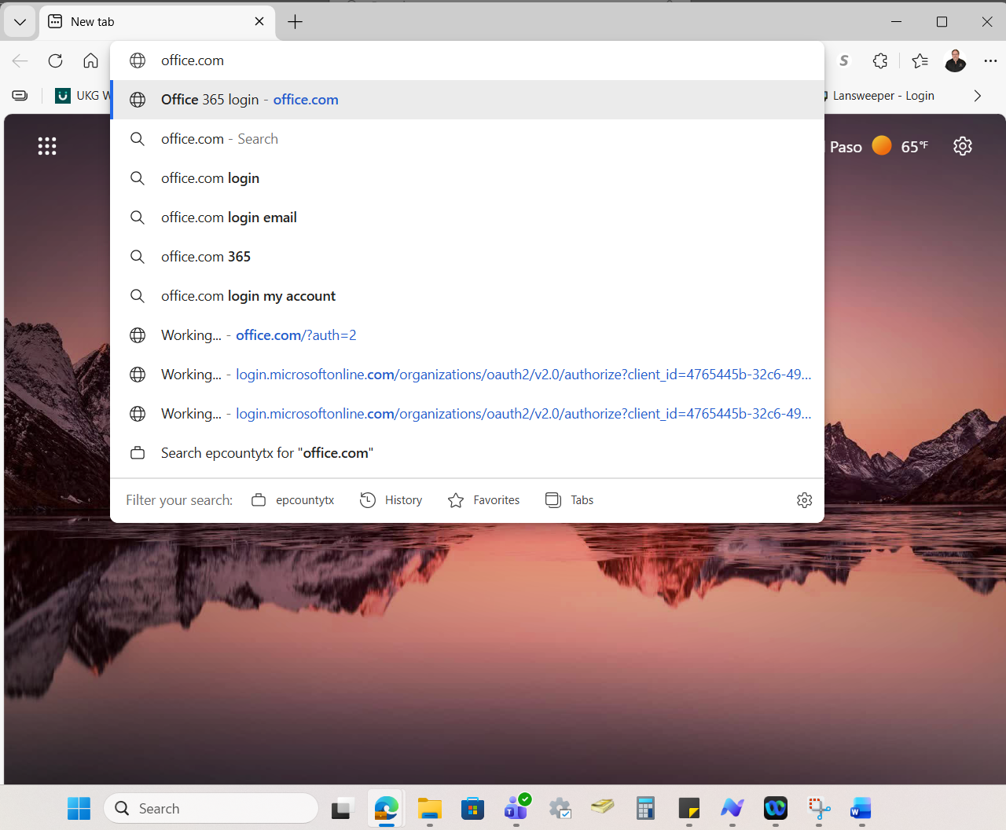
1 - Open Microsoft Edge (or your broswer of preference, screenshots are taken from Egde).
Type Office.com in the address bar and then Enter.
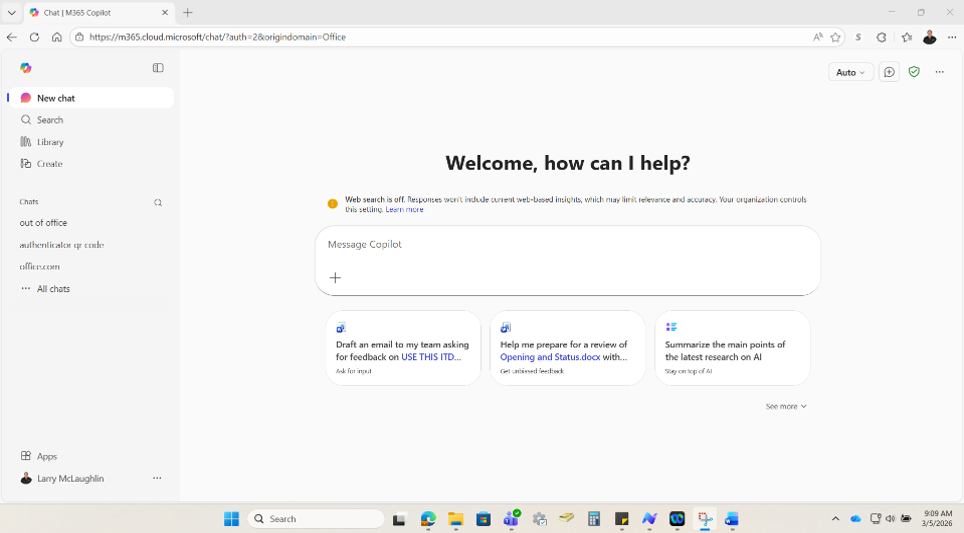
On the bottom right you will choose Apps
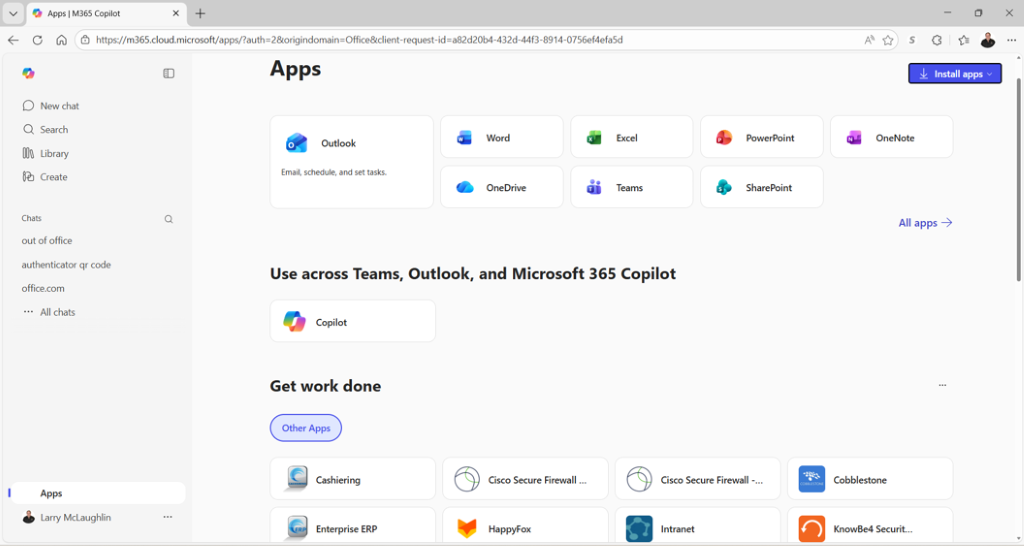
2 - Locate HappyFox from the listing and click to launch the Application.
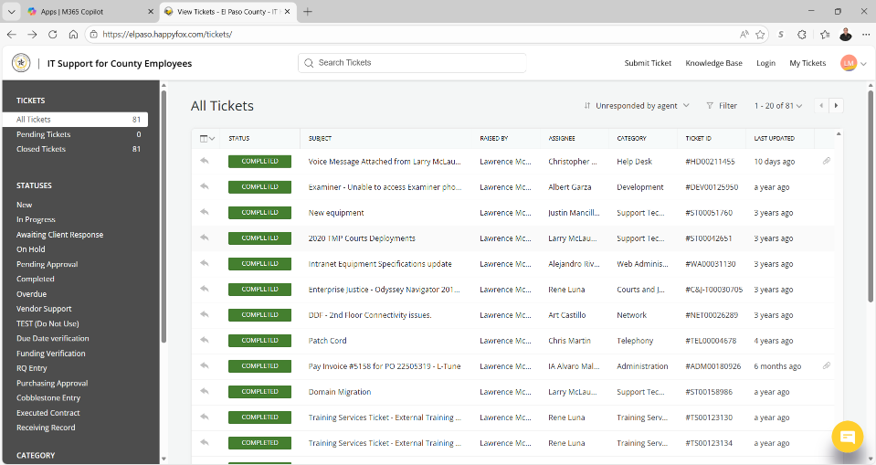
At the top Right click on Login.

A list of tickets that you have submitted will be displayed.
You can click on any of the entries listed to review the ticket status, any notes or information that have been added by the Helpdesk or ITD personnel assigned to the ticket, and steps taken toward resolution.
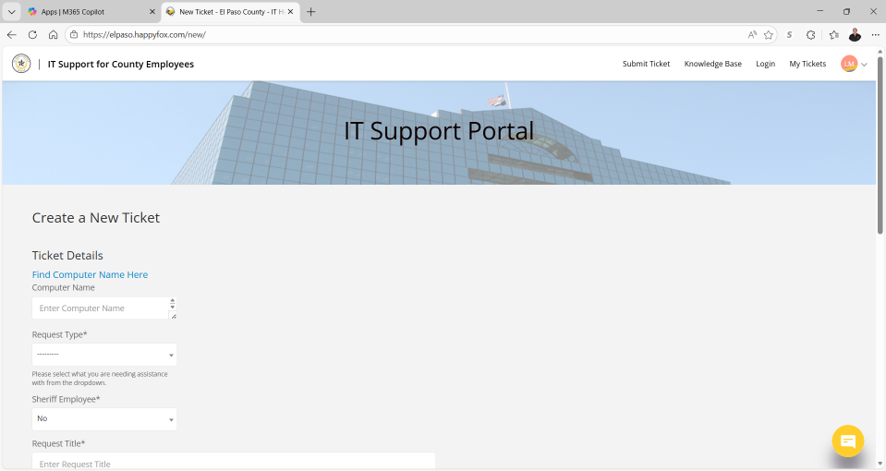
At the top of the page on the Right side click on the Submit Ticket button.
A create new ticket page will open.
Please select from the pull downs or fill out each space with the requested information.
Please include current contact information for you or the user if you are submitting a ticket on someone’s behalf.
The helpdesk will review each ticket and either contact you to assist with the problem, follow up for more information, or assign to other ITD employees to fix, repair, or remediate.
Thank you for contacting the El Paso County Information Technology Department.

