


PREPARING TO MOVE TO A NEW MOBILE DEVICE (IPHONE)

Jul 14, 2026
32

PREPARING TO MOVE TO A NEW MOBILE DEVICE (IPHONE)
PROCESS TIME: 15-25 minutes
DESCRIPTION:
When moving to a new mobile device, there are steps that need to be taken with your old phone before switching over to the new device.
**If your Phone number has changed please reach out to Helpdesk to update your MFA number associated with your account, this is something only they can complete**
Most users use one or a combination of three applications on iPhone devices: Teams, Outlook and Microsoft authenticator
Microsoft Authenticator:
**If you have multiple accounts showing repeat process after completion of first account**
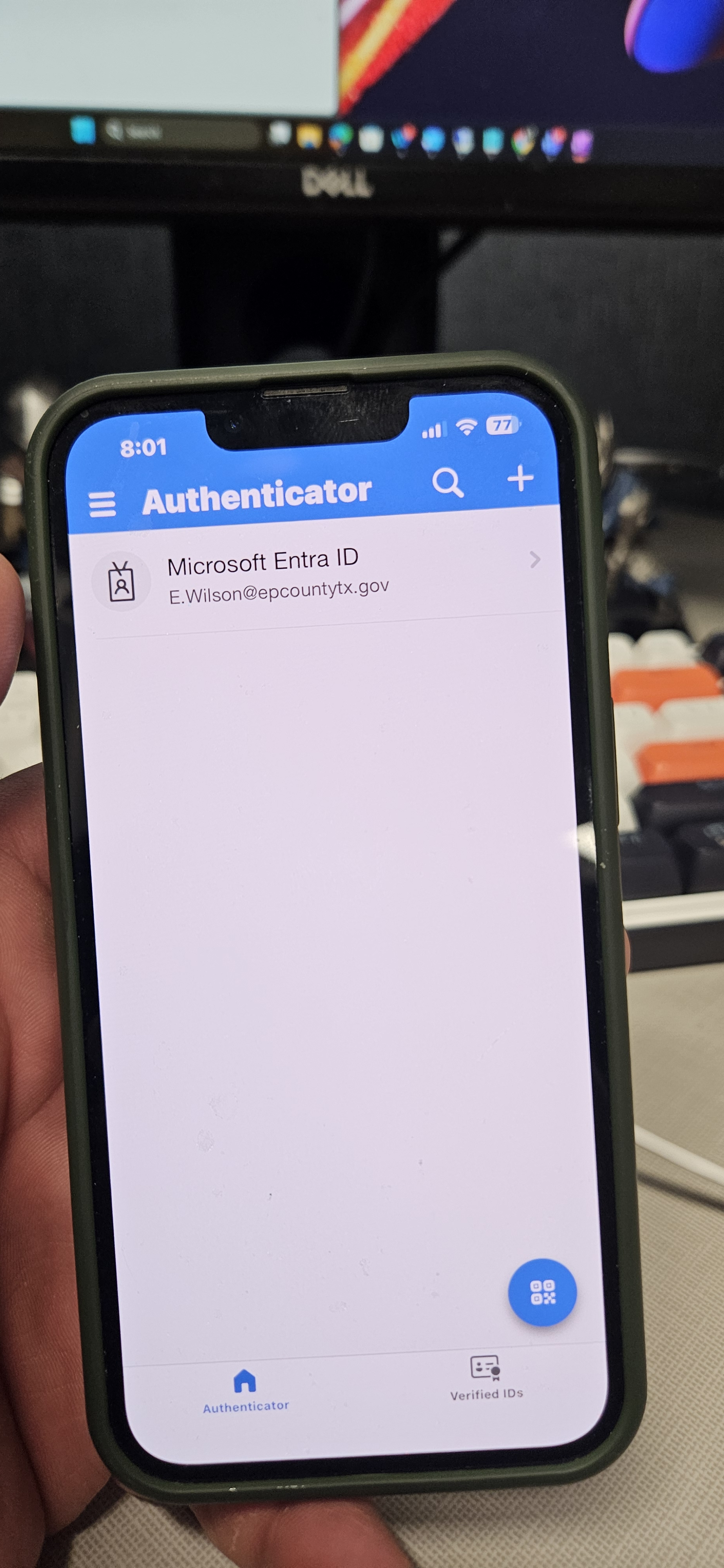
- Open Authenticator app and select your account:
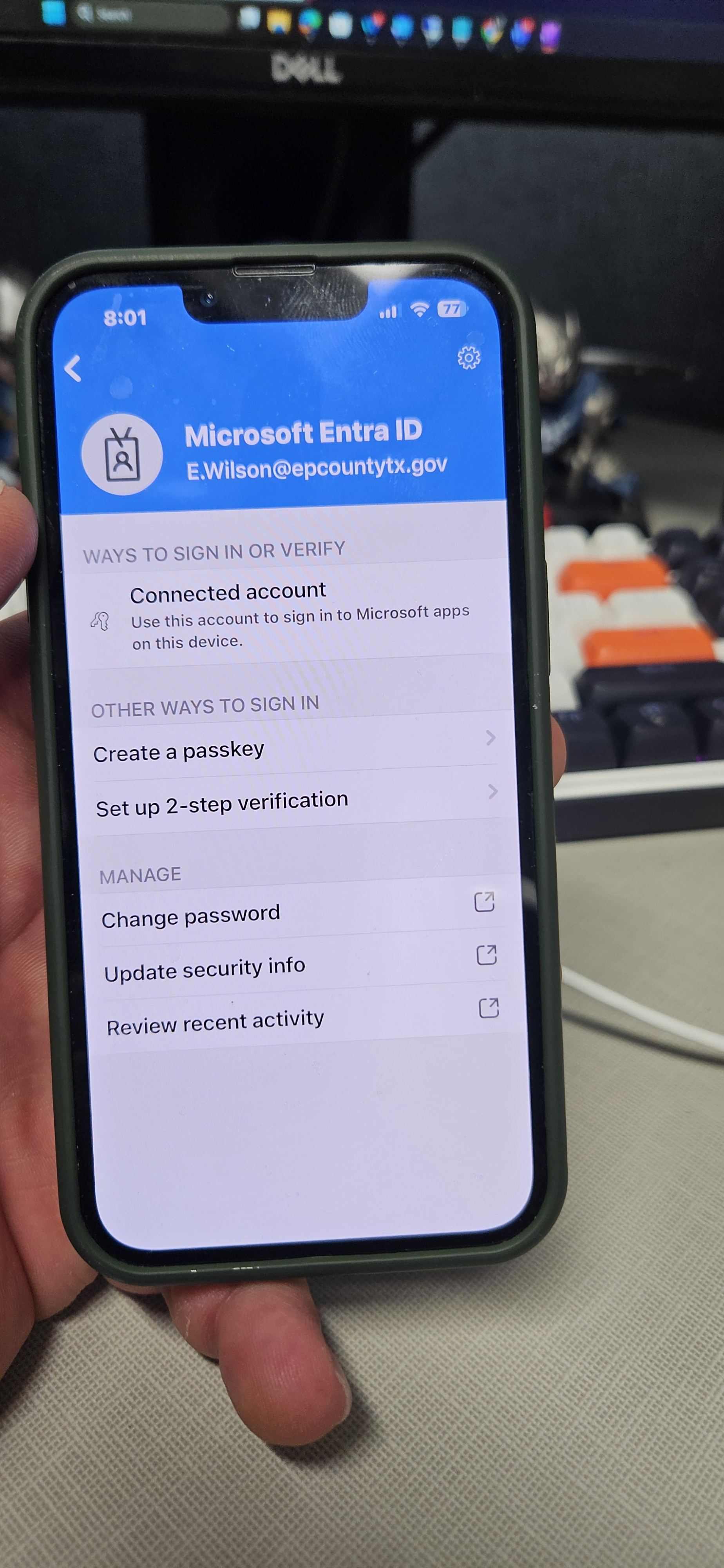
- Locate the settings gear (top right of my device screen)
- Select remove account:
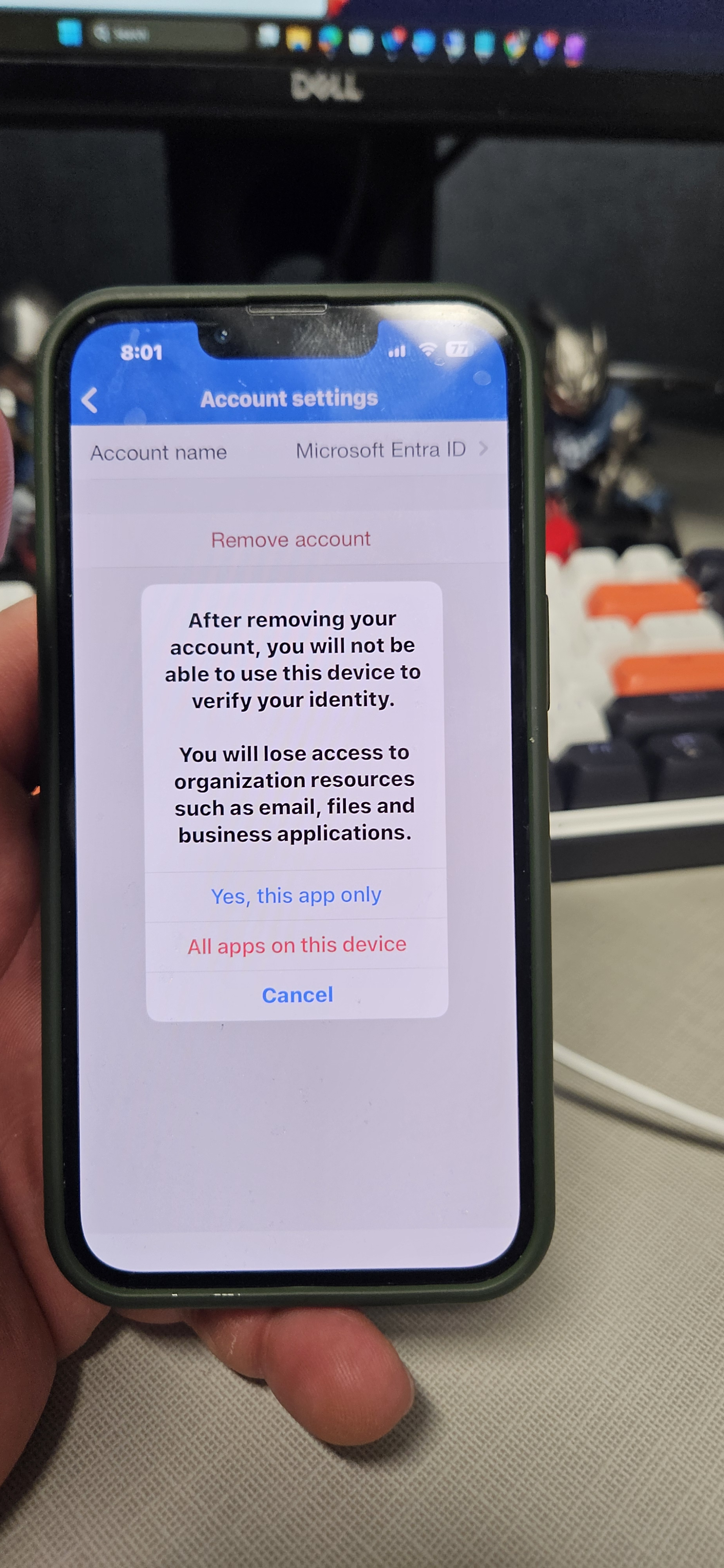
- Select "all apps on this device" if this options pops up
- Once all accounts are removed, Uninstall the application
OUTLOOK:
- If you do not use/Once you have removed the account from your authenticator if you use it, you can just uninstall the application.
Teams:
- If you do not use/Once you have removed the account from your authenticator if you use it, you can just uninstall the application.

