Active Directory Self Service Enrollment for External Employees
Last updated: Jun 25, 2026
602
views


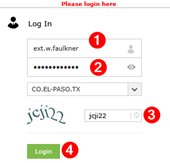
- Enter https://iforgot.epcounty.com into your browser's address bar.

- Enter your El Paso County network username, password, and CAPTCHA letters/numbers.
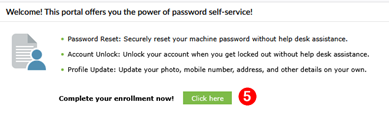
- Once logged in, you will be prompted to enroll if you have not already enrolled. Click on Click here to enroll.
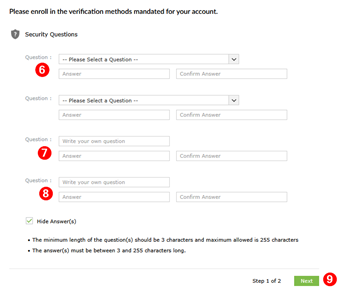
- Select security questions from the drop-down list or enter your own questions; enter the answer, and confirm the answer. When finished, click Next.
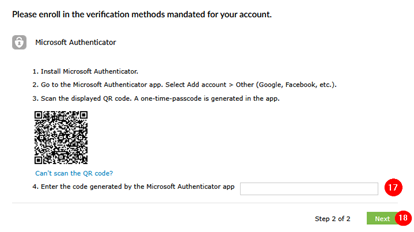
- The screen below will be displayed. You will need to install Microsoft Authenticator to proceed.
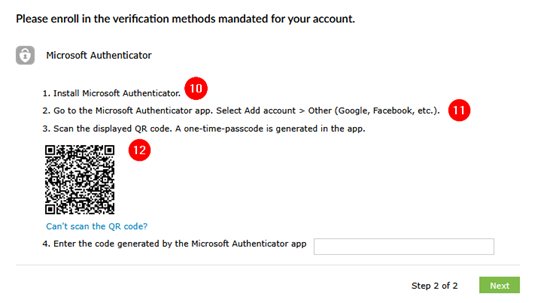
To install Microsoft Authenticator
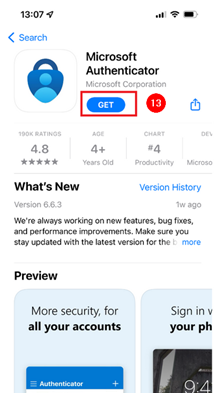
- In the App Store, search for Microsoft Authenticator. Once located, click on GET to install on your phone.
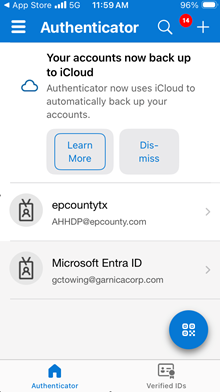
- Open Microsoft Authenticator and tap the + in the upper-right corner.
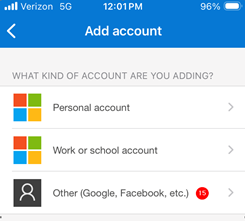
- Select Other account to Add, then scan the QR Code and allow camera access. Scan the QR code displayed on ADSS.
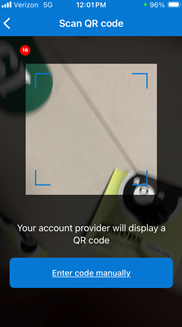
- Your device is now registered, and you may now receive passcodes. Enter the passcode into the ADSS Prompt. Click Next.
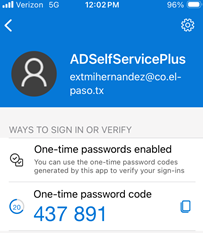
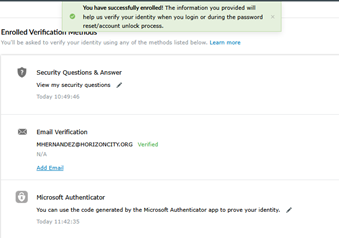
You have now successfully registered your account to reset your El Paso County network password or unlock your El Paso County network account using ADSS.